
For Windows 10 and 11 PCs, 64-bit
Your designs as pictures. Viewing them is free.
Finding them with a single word, even inside a ZIP, is free too. Embroidery, cutting, or laser: TidyWren sorts them by theme, based on their names, and finds duplicates without deleting anything.
- View and search, no time limit
- No account, no subscription
- Your files stay on your PC
TidyWren installs on a Windows computer. Send yourself the link to find this page again on your PC.
The download is free. Tidying: try it on 150 files. The license costs €39 including VAT in the euro area. You pay once, for 3 computers.
You have 14 days to ask for a refund.
See it on an item
Your design, on the item, before you embroider
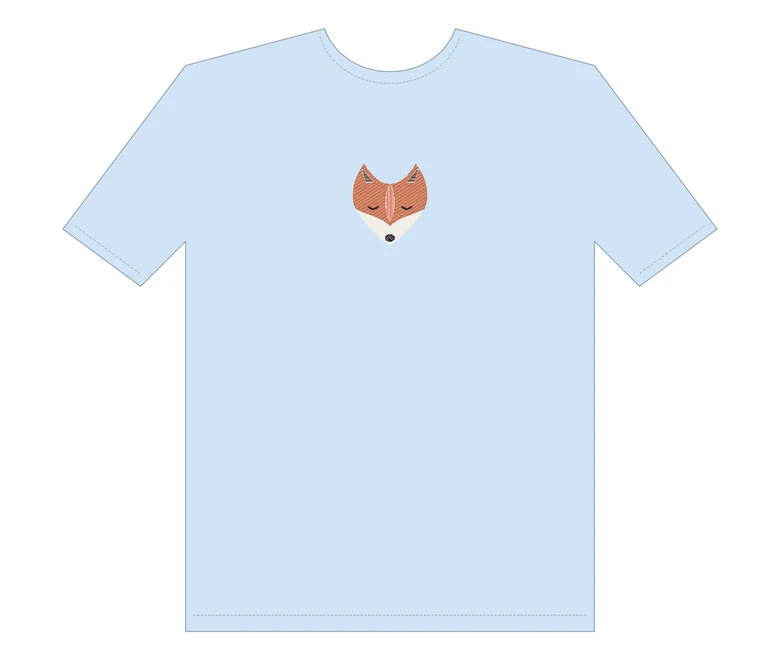
“See it on an item” (in the “⋯” menu of the design’s details): before you embroider, see your design on a T-shirt, a bag, a dish towel or a bib, at roughly its real size.
For your embroidery designs. The item is drawn, not measured.

Your everyday questions
Sound familiar?
A design collection grows quickly. Here’s what people wonder most often, and how TidyWren answers.
I have to open my designs one by one to see them.
TidyWren shows them to you as pictures, even inside ZIP files.
Have I already bought this bundle?
It finds duplicate designs, even under another name.
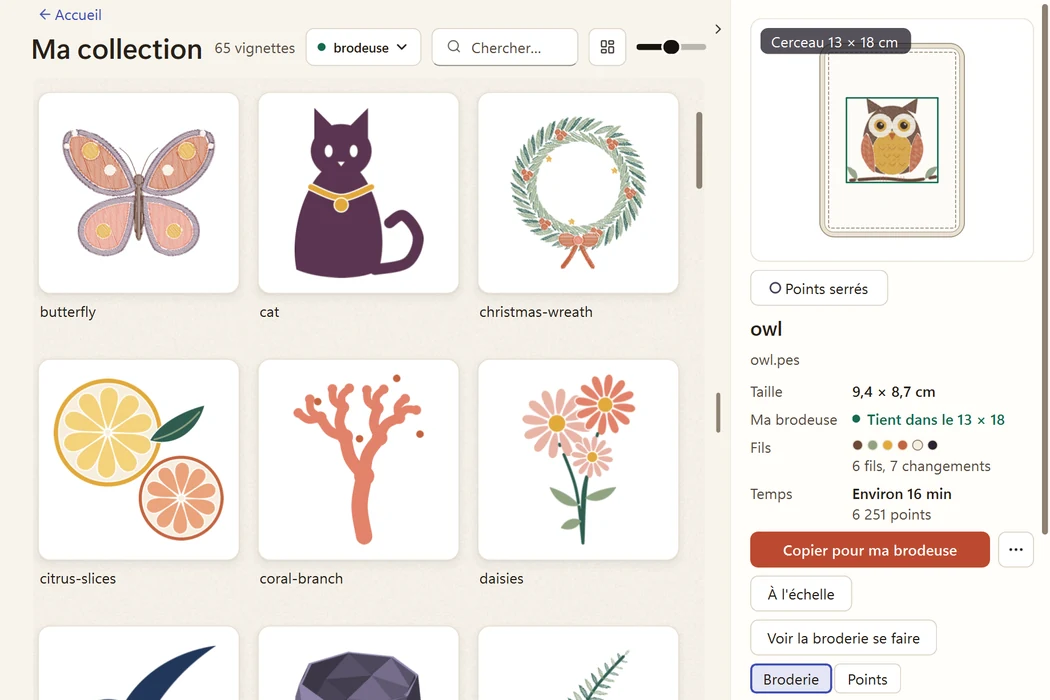
Does this design fit my hoop?
Its details tell you.
Can I sell what I make with it?
It reads the license that came with the bundle and gives you a careful summary of what it seems to allow.
How do I find one design among all the others?
Search by name or by theme. Your folders stay just as they are.
And if I move something, will I lose it?
No. You see everything before anything moves, and a tidy-up can always be undone.
Your folders, only better
Keep your folders. TidyWren adds what they’re missing.
TidyWren reads your folders as they are. It adds what folders can’t do: a picture of each design, its size for your hoop, the duplicates, and the copy in the right format on your USB drive.

What it does
What TidyWren does
It reads your folders without changing anything, then shows you everything, as pictures. Nothing moves without you.
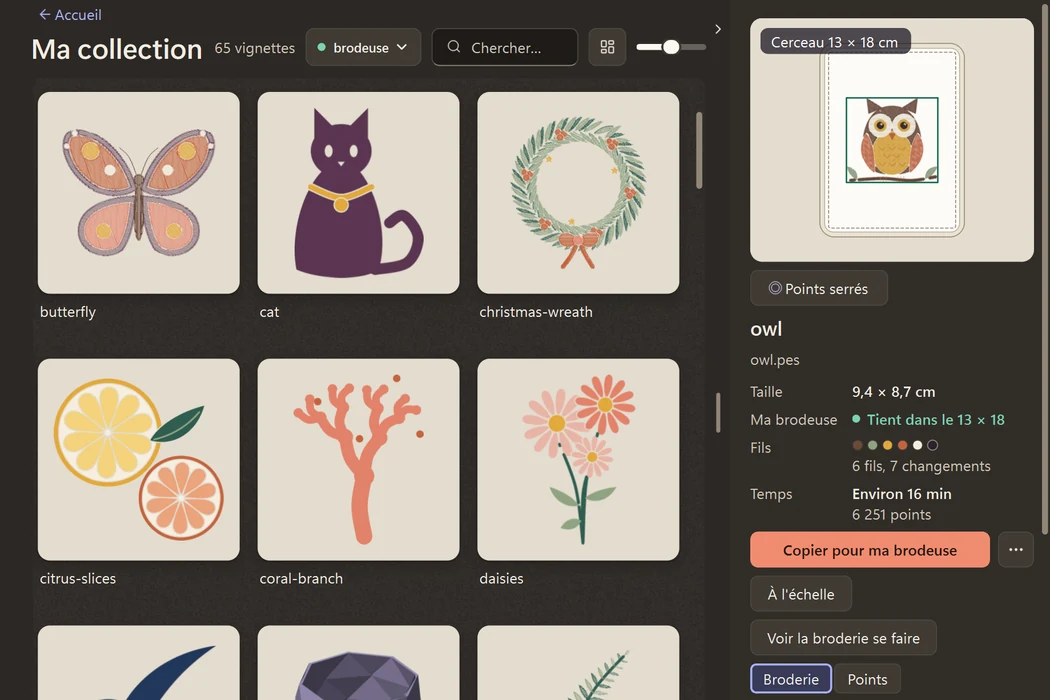
See without opening
Your designs as pictures, even the ones sleeping in a ZIP or 7z file. The same design in several formats isn’t mistaken for a copy.
Find anything
Search by name or by theme, across your whole collection at once.
Search by picture
Check a box, and find a design by what it shows, even when its name says nothing.
The box is in Help and settings: “Recognize what my designs show”. TidyWren looks at your designs on this PC.
Will it fit?
Tell TidyWren your machine once. Its details tell you whether it fits in your hoop, on your mat, in your laser’s work area or on your print bed.
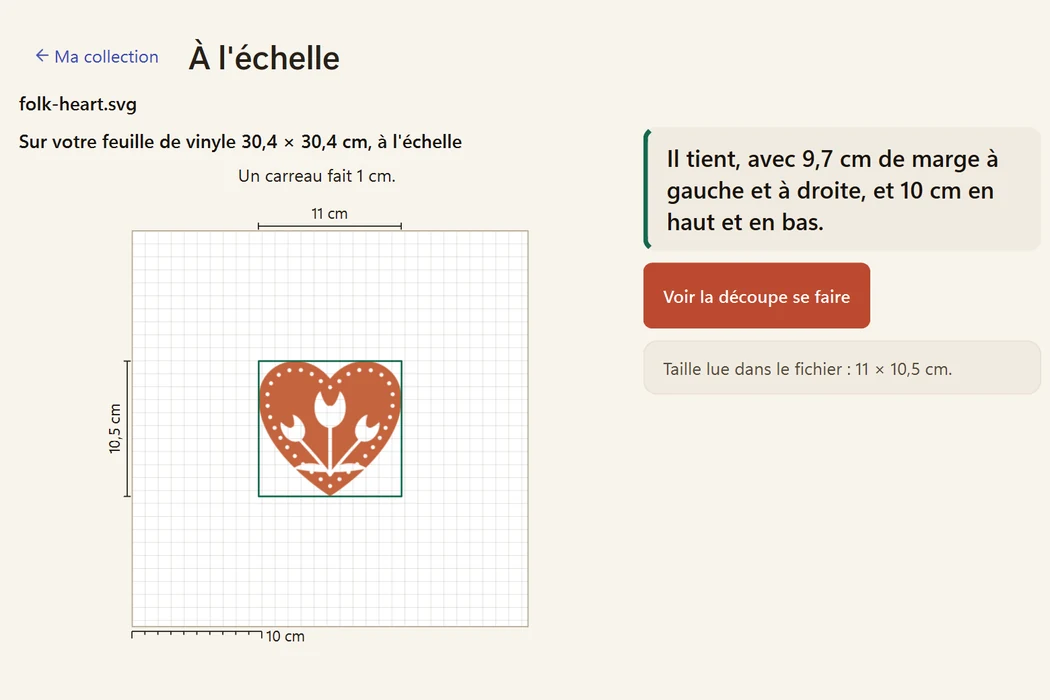
Watch it cut out
It traces your SVG or DXF stroke by stroke, in the order in the file.
Your machine may cut in a different order.
Ready for your machine
The button is named after your machine, for example “Copy for my PE770”: it gets a copy of the embroidery ready for that machine. The original stays where it is.
Duplicate designs, with nothing deleted
You compare, you choose. What you set aside goes to the Safe bin.
Your licenses
It reads the bundle’s license and gives you a careful summary of what it seems to allow.
Your craft, or several
Embroidery, cutting, and laser, all in one place
Several machines? One collection for all of them.
Embroidery
Brother, Janome, Bernina, Pfaff, Singer…
PES, DST, JEF, VP3, and more. Size, hoop, thread colors, stitching time, and the copy to your USB drive.
Cutting
Cricut, Silhouette, Brother ScanNCut…
SVG, DXF, Silhouette projects. Your mat, and “Prepare for my machine” when your software won’t take an SVG.
Laser
xTool, and lasers run by LightBurn…
Your LightBurn and xTool projects as pictures, alongside the rest of your collection.
Peace of mind
Your files stay yours
You see everything before anything moves.
Nothing gets deleted
TidyWren never deletes anything on its own. What you set aside goes to the Safe bin, and “Put back” returns it with one click, with or without a license.

Your originals don’t change
Your original files are never modified. What TidyWren prepares for your machine is a copy.
Everything stays with you
Your files never leave your computer. No account, no cloud. The internet is used to activate the license, once per computer; to check it once, about three weeks after purchase; and, if you agree, to let you know a new version is out.
Free, or with the license
What’s free, and what the license adds
The license costs €39 including VAT in the euro area. You pay once, for 3 computers.
Free, with no time limit
Everything for viewing your files: thumbnails, the scan of your collection, search, “My checkup”, the list of duplicates and problems, and the licenses of the designs you bought.
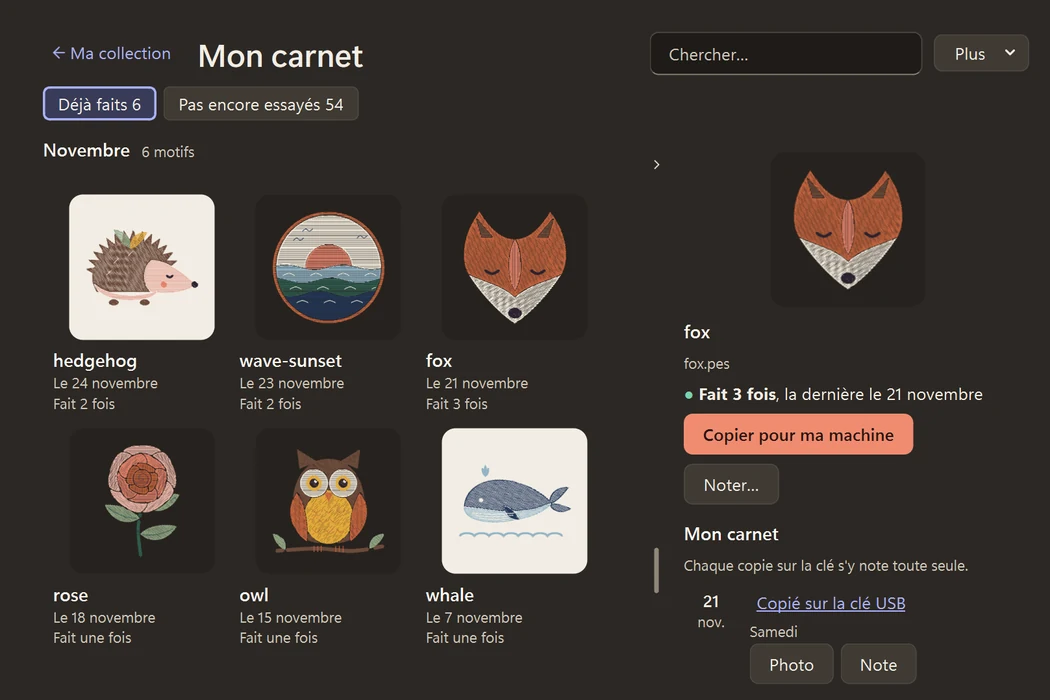
Also: “Gather my designs”, seeing your fonts, “My notebook”, checking whether a design fits your hoop or your mat, and “Back up my collection”, with your LightBurn and xTool settings.
With or without a license, you can always put back what’s in the Safe bin, undo a tidy-up, and back up your records.
With the license
The paid actions: tidying up, setting aside, preparing and copying for your machine, kits, installing your fonts, adding your files to “My creations”, the Guardian, and the “Already own it?” extension.
Tidying up, setting aside, preparing and copying for your machine, kits, installing your fonts, and “My creations” can be tried for free on 150 files. The Guardian and the browser extension need the license.
Good times to start
A new computer? It’s the perfect time to bring everything together.
New PC, Windows 11, files from someone close to you
Show TidyWren your folders, your ZIP files, your USB drive, or your old hard drive: you see your designs as pictures, in one place. The license covers 3 computers.
Installing TidyWren for someone?
A few simple tips so everything goes smoothly.
Three questions
Before you try it
Can TidyWren delete my files?
No. It never deletes anything on its own. What you set aside goes to the Safe bin, and one click puts it back.
Are my files sent anywhere?
No. Your files never leave your computer. The internet is used to activate the license, to check it once about three weeks after purchase, and, if you agree, to let you know a new version is out.
What about Mac?
Not yet. TidyWren is for Windows 10 and 11.

Try it on your own collection
Viewing your files is free, and so are your actions on 150 files. The license costs €39 including VAT in the euro area, paid once, with no subscription.
TidyWren installs on a Windows computer. Send yourself the link to find this page again on your PC.
Windows 10 and 11, 64-bitNo accountYou have 14 days to ask for a refund
On a Mac? TidyWren isn’t available on Mac yet.